Haunting the Screen: How Music Visualizers Add Power to Horror Music
Creating horror music is an art. It’s not just about instruments and effects—it’s about mood, suspense, and psychological storytelling. And in today’s digital-first world, musicians who craft eerie, unsettling, or downright terrifying music are increasingly turning to music visualizers to bring an added layer of immersion to their soundscapes. When composed horror music is paired with animated, reactive visuals, something magical (and creepy) happens: the music doesn’t just play, it manifests.
Whether you’re an independent composer sharing your tracks on YouTube or a film score artist looking to demo your latest theme, a well-designed horror-themed music visualizer can take your audio from spine-tingling to unforgettable.
Let’s explore how visualizers elevate horror music, the best practices for designing them, and how to share them effectively with the online world.
Why Visuals Matter in Horror Audio
Horror music thrives on atmosphere. Dissonance, silence, sub-bass rumble, distorted samples—these are tools to manipulate emotion. But in a visual world, attention spans are short. A blank screen with just an audio waveform might not hold someone long enough to get to your climactic crescendo.
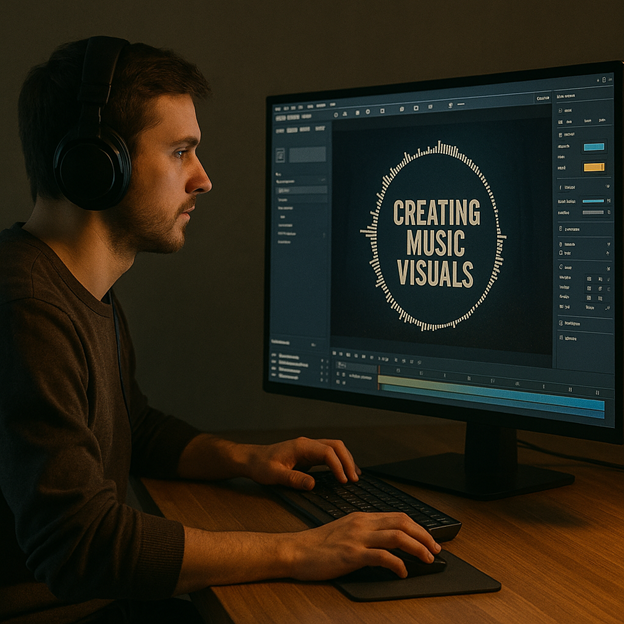
That’s where music visualizers come in. Websites like VideoBolt can animate your horror track in real time, pulsing and morphing with each sound cue. Unlike traditional music videos, which often require elaborate filming, actors, and production, a visualizer is a low-barrier way to generate striking visual storytelling that’s completely synced to your music.
Especially in horror, the ability to flash, flicker, distort, or subtly shift the screen in response to your sound design can deepen tension. An unexpected color burst at a scare chord. A shadow creeping in from the edge. A pulsing red beat line that mimics a heartbeat. These elements aren’t just engaging, they can feel alive.
Visualizer Styles That Fit Horror Best
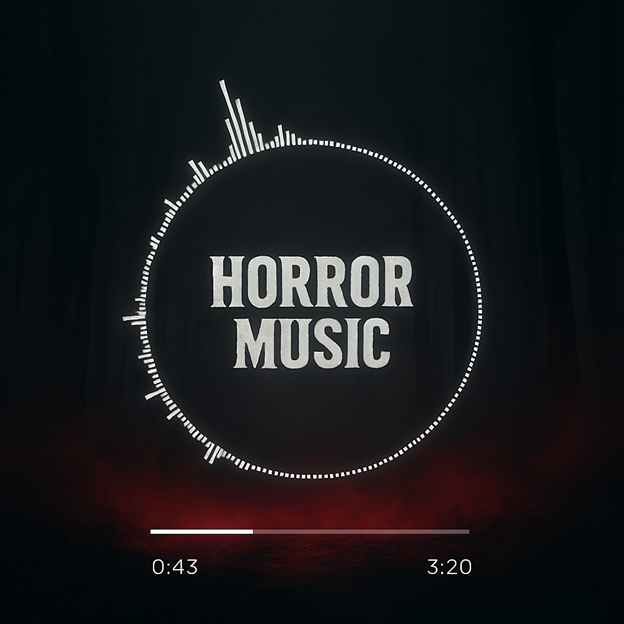
Not every visualizer works for every genre. In horror, the visuals should reflect the darkness, tension, or unease in your music. Below are some of the most effective visualizer styles for horror soundtracks and tracks:
- Waveform distortions – Glitched, warped lines that twist and jump with each sound cue give a feeling of digital unease.
- Pulse rings with ambient fog – These mimic sonar or distant radio signals and work well for psychological or ambient horror.
- Low-frame strobe visuals – Slow, pulsing imagery with harsh flashes at high points evoke the sensation of a jump scare.
- Minimalist black with subtle motion – A single eye blink. A shape in the dark. These are powerful in atmospheric compositions.
- Vintage VHS overlays – Adding grain, scan lines, or color distortion gives the impression of lost footage or haunted media.
- Liquid visuals in muted colors – Slower horror tracks pair well with surreal, smoke-like movements that react to vocals or reverb tails.
Matching your visualizer style to your subgenre (psychological horror, slasher, supernatural, sci-fi) is key to pulling viewers into your world.
Tools to Create Horror-Themed Visualizers
There’s no shortage of music visualizer platforms out there, and many offer customization options perfect for horror musicians. Some platforms even offer templates built specifically for dark, moody, or eerie aesthetics.
Try these popular tools:
- Renderforest – Has visualizer templates with fog, glitch, and particle effects that can be tinted red, gray, or black.
- Videobolt – Offers horror and thriller-themed templates and is especially good for artists posting to YouTube.
- After Effects (with Trapcode Sound Keys) – Advanced, but ideal for creating entirely original, high-end horror visuals.
- Magic Music Visuals – A favorite among live performers and experimental sound artists, allowing live control over visuals.
- Vizzy.io – Useful for streaming horror playlists with visuals on Twitch or YouTube Live.
The trick is to customize the template so it doesn’t feel generic. Darken the colors. Slow the animations. Layer in subtle textures. Your goal isn’t just to visualize sound, it’s to extend the horror narrative.
Embedded: Top Benefits of Using Visualizers with Horror Music
Still wondering if it’s worth the effort? Here’s a list of ways music visualizers can boost the reach and impact of your horror tracks:
- Increased viewer engagement – Animated visuals keep viewers watching longer, boosting retention on platforms like YouTube.
- Stronger emotional response – When visuals mirror sonic cues, the listener’s emotional state is heightened—more fear, more tension.
- Improved branding – A unique visualizer style becomes part of your identity, especially when reused across multiple releases.
- Shareability – Visualized music performs better on social media and can be clipped for short-form platforms like Instagram or TikTok.
- Performance enhancement – Visualizers can be used in live horror-themed performances, DJ sets, or gallery installations.
- Cost-effective – Compared to music videos, visualizers require little to no equipment or actors, just creativity and a good platform.
For artists working on a budget or experimenting with new tracks, visualizers are a smart, scalable way to present horror music professionally.
Horror Music + Visualizers = Better Storytelling
Some horror musicians use visualizers not just as effects, but as part of the story itself. Think of a track that opens with nothing but darkness. Slowly, a shape flickers into view. As the music builds, the shape changes. When the drop hits, it transforms violently.
This kind of visual narrative arc makes the listener feel part of a story. You’re not just listening, you’re witnessing. Whether you’re composing a theme for a horror podcast, making a dark synthwave EP, or building a cinematic ambient score, a visualizer can offer structure, progression, and payoff.
Pro tip: If you’re releasing a concept album or soundtrack, create a series of visualizers with a shared motif or progression. It builds anticipation and gives fans a sense of narrative flow across releases.
Sharing Horror Visuals Effectively Online
YouTube remains the top platform for visualized music, especially in niche genres like horror. But don’t stop there. Use your visualizer content across:
- Spotify Canvas – Short 8-second loops of your horror visual for mobile listeners.
- TikTok and Instagram Reels – Clip a chilling moment from your visualizer with a key soundbite.
- Your website or EPK – Visualizers make great promo tools for potential collaborators, clients, or licensing agencies.
- Live streams – Background visuals while composing or performing horror music in real time.
And don’t forget descriptive tags. “Horror visualizer,” “ambient horror soundtrack,” “dark ambient music,” and similar keywords help your content get discovered by the right audience.
Make Your Music Haunt in More Ways Than One
Horror music is built to linger, to unnerve, to leave a mark. And visualizers are one of the most underutilized tools for amplifying that experience. Whether you’re scoring an indie game, releasing an experimental track, or building a fanbase on YouTube, visualized audio isn’t just more engaging, it’s more memorable.
So, the next time your song’s done and you’re ready to upload, don’t let it sit on a black screen. Animate the tension. Show the shadows. Let your music breathe — on screen as well as in the headphones.
Because when sound and vision align in horror, it doesn’t just hit the ears. It haunts.